This post might be better titled "How to get out of a sticky situation?". As SewCalGal is always on the quest to find new products that can be helpful in a variety of crafty situations, I decided to check out "Elmer's Sticky Out Adhesive Remover". Sticky Out can be found at your local craft stores in 4.0 Ounces, Clear (171). It is marketed with the claim that it "Removes crayons, labels, glues, stickers, tar, oil paint, and more. Perfect for eliminating your gooey, gummy, sticky cleaning problems. Clear gel solution". SewCalGal found this product to be an inexpensive solution to resolve problems with many sticky situations. And, it is mild in smell and on the hands. While testing it, SewCalGal found it to definitely remove marks from crayons, low tack labels, machine embroidery stabilizer residue for sticky back stabilizers, as well as some residue on irons as a result of various iron on adhesives. You simply apply it to an area which you wish to remove a tacky substance, let it sit for 20-30 seconds and wipe clean with water (SewCalGal used a moist towel for most of my tests). SewCalGal can recommend this product for those that want an adhesive remover, but need a mild one. While there are stronger adhesive removers available, they also tend to have a strong smell and can be harsh on the hands. Thus, I do recommend this inexpensive adhesive remover as a good resource for getting out of a mildly sticky situation. You should also be able to find this product at your local craft stores.
SewCalGal definitely enjoys sharing insights on new products, charity projects, designers....anything appropriate for quilting, sewing and embroidery enthusiasts. Today is a special day with exciting information to share.
CALL FOR ACTION TO SAVE CHICKENS:
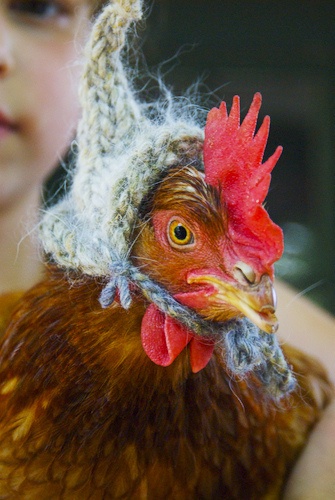
Due to all the cold weather, chickens are freezing and need your help to keep warm! If you haven't seen the email about PETA's Call for Knitted Hats to Save Chickens (Keep them Warm), let me know and I'll email you a copy. There are many chickens in need of hats and could use your help! Possibly your Quilt Guild may want to participate too!
The Quilt Show announces a new APP for Quilters
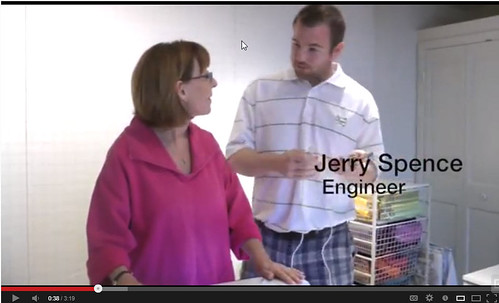
Alex Anderson inspired her son-in-law (SIL) Jerry to create an amazing APP for Quilters. This product is a breakthru technology that will help quilters of all skill levels. SewCalGal is blown away with how cool this APP is. Every quilter is going to want to get this. Watch this video to see how cool this new APP is: http://www.thequiltshow.com/os/blog.php/blog_id/5477
How do you like my Quilty News Report today? Are you doing anything Foolish? I sure hope sew! We all need a good chuckle.
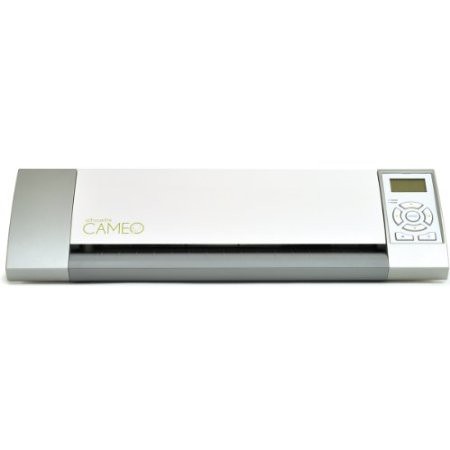
SewCalGal has become a big fan of the Silhouette Cameo. You may have seen a previous review that I shared, after I purchased this product at a Black Friday Sale.
I've been having fun creating with my Silhouette Cameo, cutting fabric, paper, cardstock, and more recently Silhouette's new double sided adhesive media sheets.
While this product is not intended for traditional quilting, I do see many ways to use it in mixed media projects. I certainly had fun using this media to embellish inexpensive plastic Easter Eggs for gift baskets for family and friends.
The Silhouette Double Sided Adhesive Paper is a strong permanent adhesive that can be cut using the Silhouette Cameo or Portrait, in an endless amount of shapes. I was amazed at how well it worked for detailed fonts (e.g. "Wendy"), as well as the details on the chicks feet!
The adhesive is very tacky and does an excellent job holding glitter. A q-tip is also a helpful tool to wipe off excess glitter that may temporarily stick to other areas of your project.
The Silhouette electronic cutter makes cutting a breeze. They have oodles of designs available for purchase in their online store and every Tuesday they give one away for free. You can also use their Designer Software to easily create your own design.
Once you have your shape cut on this double-sided adhesive media you simply remove the yellow top sheet, place the shape on your item (e.g. egg), tacky side down, then remove the white backing paper and you are left with a clear film of tacky media on your project which you can easily add glitter, embossing powder or other decorative items. Easy, Peasy, and Fun!
I did find that my Famore Micro-fine tweezers, which I purchased at I Have A Notion, worked great to help remove the paper and backing material from the thin tacky media of the double-sided adhesive sheets. These tweezers can pick up the finest thread and make it so much easier to grab the paper and backing sheets of this media too!
I definitely had fun creating with Silhouette's double-sided adhesive sheets on my Silhouette Cameo. I'm looking forward to using this media to create greeting cards, bookmarks, Artist Trading Cards (ATCs) and more! While it isn't a product marketed to quilters, it is so lightweight that I also want to test it to see how well it works with fabric and the ability to wash out. Hmmm. Might be really handy for applique', binding and more. Stay tuned, as I'll give you a report as I complete my test plans. In the meantime, I hope you get inspired to create with a Silhouette. I'm certainly having fun with it. And, the new Silhouette Double-Sided Adhesive Sheets are certainly helping me decorate for Easter. Super easy and fun!
SewCalGal enjoys using Modern Quilting Tools, including tools that may not have originally been designed with the Quilter in mind, but offer Quilters great value. I've had opportunities for hands on use of the Silhouette products at CHA shows, where I've previously written about them. And, I've continued to research them to better understand their value to quilters. I ended up purchasing a Silhouette Cameo bundle during a Black Friday Sale last year and have absolutely enjoyed this product so much, I can only wonder why I took so long to buy it. I will share this Modern Quilting Tool may not be a tool appropriate for all quilters, but I'm sharing my insights with you today, to increase awareness of this new tool that quilters may want to use.
While I'll share insights with you on the Silhouette, as well as a few examples of how I've been using it, ultimately I view this is a great product for quilters. A few examples of what a Silhouette can help a Quilting, Sewing, or Embroidery Enthusiasts are:
cutting applique (text, shapes) for their projects, including machine applique'.
using fabric ink pens to create quilt labels, write on quilt blocks, draw images on fabric, etc..
applying crystals to your quilts using designs you can purchase or create!
creating projects with heat transfer material
designing and cutting your own stencils for free-motion quilting, painting on fabric, etc..
cutting lightweight metal for use on your mixed-media projects
And, of course, the possibilities for crafters are endless! Think of creating vinyl words for decorating your home, or quilt studio? How about decorating beverage containers for quilt retreats? And, what fun it would be to use the Silhouette Heat Transfer Material to create a quilty tshirt to wear to a quilt show?
For crafters, don't overlook the ability of using your Silhouette to send files to your printer, as well as do a print & cut!
There are currently two Silhouette product models: Cameo and the Portrait. The basic differences in the two models are:
Portrait can cut up to 8"x8" fabric, 8"x10' long for certain materials such as vinyl (Retail $199)
Cameo can cut up to 12"x12" fabric, 12"x10' " " " " " " " (Retail $299)
Here is a good video that shares insights on the differences of these two products.
The Silhouette is an electronic cutting system that is driven from PC software. The software allows you to use any Font on your computer, resize purchased designs, rotate, merge with other designs, and more. You simply send your design to your Silhouette machine when you are ready. There are two versions of software: Basic software (free) and the Designer Edition). Highlights of the differences in these two software applications are:
The Studio Software, aka basic software, is free to anyone. It is easy to use and allows you to use designs that are available from the Silhouette online store, as well as "basic" functionality to create your own design by way of adding text, combining two or more designs, etc..
The Designer version has the ability to do everything the Studio software does, plus create your own designs in the Designer Edition. It is also an easy to use software application that allows you to take your artwork and turn it into a design that you can use to cut, draw or use to create stencils, and more. There are also many more tools in the Designer version (e.g. guides, knife options, shear window, eraser options, rulers, sketch window, eyedropper, pivot point rotation, SVG file compatibility, eyedropper, etc.). SewCalGal definitely recommends the Designer version for anyone comfortable with a computer and interested in creating their own designs. But, don't overlook the Designer edition comes with 51 pre-loaded designs, which pretty much pays for the cost of this inexpensive software!
Silhouette on-line store has thousands of designs that are typically $.99 each and there is a free design every Tuesday. Your Silhouette also comes with a free $10 download card. From a perspective of quilting, sewing and embroidery enthusiasts, there are not all that many designs that are appropriate for applique' projects, but many that are appropriate for painting on fabric, applying crystals on fabric, etc.. And, SewCalGal anticipates more "quilty" related designs will be added to the Silhouette store in the future. But, again, the Designer software does allow you to easily create your own designs that will work well with quilting.
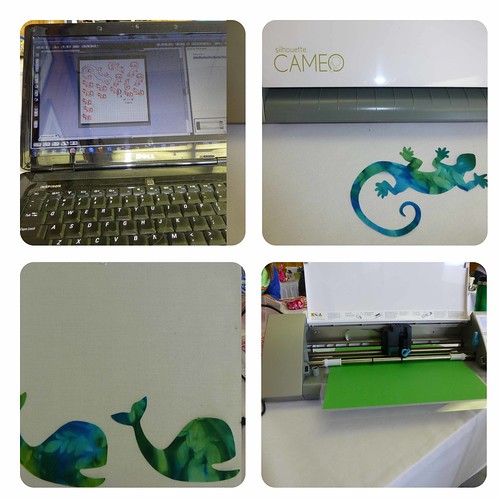
I had fun creating baby quilts for Operation Homefront. I found a cute gecko design and I used the Designer software to create a whale. I found the software very easy to position designs to minimize waste. It may take a little practice, but the efficiency is far batter than using die cutting machines. And quite easy to apply to small scrap pieces too!
In addition to using the Designer Software to create my own whale design, I found it very easy to use to create a detailed butterfly, a jumping rabbit, a cute dinosaur and more! All very easy to design and cut, far more economically than die cutters. And, it is actually easy to cut the exact shape and size that you can get on a die cutter too!
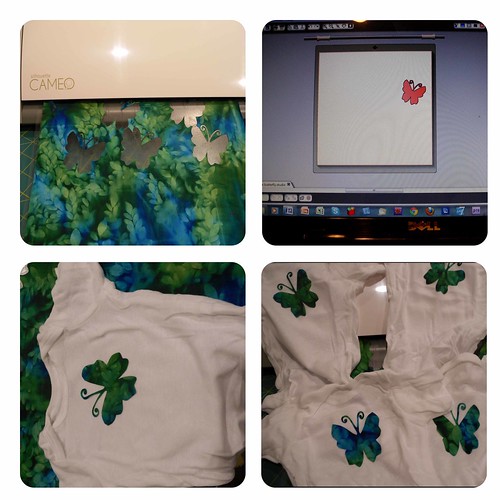
I also enjoyed using the Silhouette to cut applique to embellish baby onesies to go into Baby Gift Baskets, for Operation Homefront. This example isn't a great example of minimizing fabric scrap, as I could have easily placed the designs closer together in the software, but I'm sharing this to show how the software does work. You can see how I wanted to make an extra cut in an uncut area and simply moved my design to the respective grid for that area. Easy Peasy.
For those that digitize for machine embroidery it is really quite easy to scan in your design created in your Silhouette Designer software to create a machine embroidery design. But it still makes a wonderful applique' on any project stitching with your domestic sewing machine. And, of course, the shapes you can create with your Silhouette would also make great stencils for painting on fabric, or marking for free-motion quilting. So, I hope you can see that the possibilities with Silhouette are endless.
Silhouette does have their own fabric interfacing, which I've not yet had a chance to try. I have used Steam A Seam and Misty Fuse, with my projects so far, and have had good luck with both.
I haven't had a chance to try many of the products that are available for the Silhouette, but am hearing good feedback. I definitely want to play with their Fabric Ink Starter kit to write on fabric (e.g. making quilt labels, drawing on quilt blocks, etc.). And, the possibilities certainly look like fun for using their stencil vinyl with some fabric ink. For crafty projects, I'm coming up with all sorts of ideas for Easter (and other ideas) for using their new Double Sided Adhesive. Of course, their flocked transfer paper would certainly be fun too. Have I peaked your interest on what a Silhouette can do for quilting, sewing & embroidery enthusiasts? Wait till you see what this product can do for Crafters. If you are not already a crafter, this product will certainly bring the crafter out in you...as well as help you have great fun creating with fabric and more. Stay tuned, as I'll be sharing more insights on using Silhouette soon. You can find more info on Silhouette products here:
There are a variety of die cutting devices on the market, but I'm happy to be able to share insights with you on a new electronic die cutting device that is compatible with using dies from a number of manufacturers, as well as embossing templates. And, it is available at a reasonable price. But, first, I want to clarify that I'm sharing my own opinions in this review and I do not receive any payment. I simply received a "loaner" product for evaluation purposes.
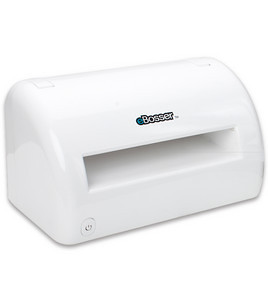
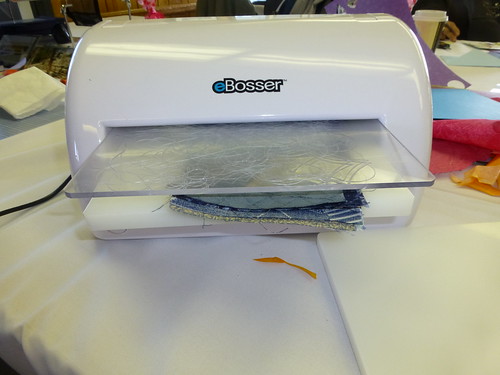
Craftwell released the eBosser, an Electronic Embosser and Die Cutter in 2012. The target audience of this product has been scrapbookers and crafters. SewCalGal views this product will become very popular among quilting, sewing and embroidery enthusiasts. As such, I'm excited to be able to share insights with you about the eBosser today.
I want to clarify, that I contacted Craftwell to help me research and share insights on this new product. Thanks to the Craftwell Team, I obtained a "loaner" unit for evaluation purposes. I've put this unit thru the paces, trying to push it hard cutting a number of layers of fabric, dies from a variety of manufacturers, and a variety of medias cut. Overall, I'm so delighted with the functionality, quality, and value of this product,. My conclusion is that this product offers great value to anyone interested in cutting fabric and/or other medias with any brand(s) of dies. It will open up greater versatility than using a fabric die cutting machine designed to work on one brand of dies, and of the die cutters that will support cutting of two or more brands of dies, the eBosser is still the most versatile that I've seen, with a few exceptions.
The eBosser was designed to accept dies that do not exceed 8 1/2" in width by 12" in length, but at the CHA Winter Show SewCalGal saw that the Craftwell team has created adapters that will allow longer dies to be used in the eBosser. As SewCalGal learns more, I will gladly share (e.g. price point for longer adapters/mats, how to order, etc.). But for now, I can confidently say that the eBosser can handle dies up to the 8 1/2" x 12" size.
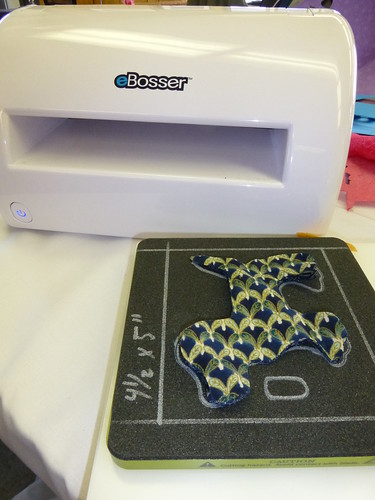
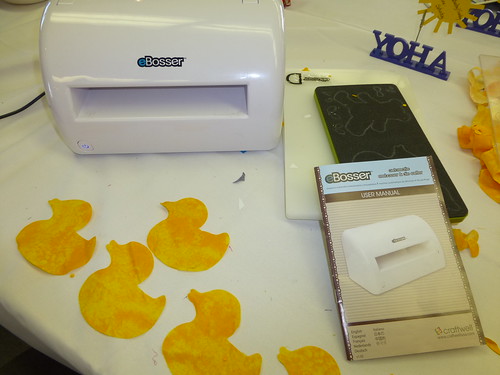
Unlike other die cutting systems, this product comes with all the platforms that you need to use dies from a variety of manufacturers (e.g. AccuCut dies, AccuQuilt, Sizzix, Fiskars, Cuttlebug, QuickKutz, Spellbinders, and more.) The User Manual does provide easy to follow visual instructions for how to build a sandwich with platforms appropriate for each of these manufacturers. And, it is designed to reject a sandwich that wasn't stacked properly, but still, SewCalGal strongly encourages users to closely follow the instructions in the User Manual for stacking platforms (aka building sandwiches) before feeding into your ebosser.
The eBosser can cut paper, vinyl, card stock, fabric, plastic, thin wood, metal, leather, foam, chipboard, and much more. Any material up to 3mm in thickness! For cutting fabric, it can cut up to 8 layers of fabric at a time. And, a cut typically takes ~18 seconds for the die to go completely thru the eBosser!
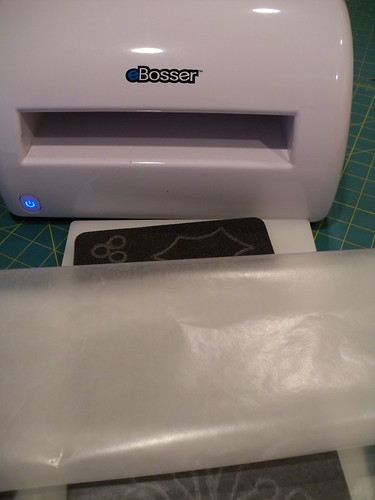
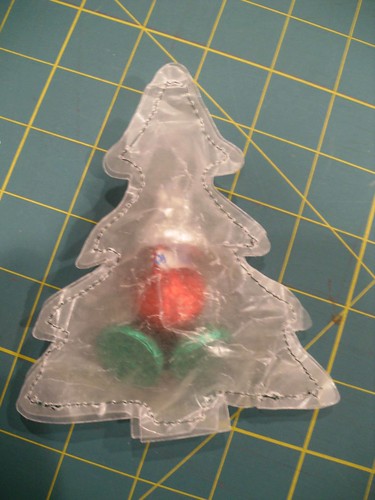
{above} I used the eBosser and an AccuQuilt die to cut wax paper in the shape of Christmas trees, which were stitched around the edge and filled with candy.
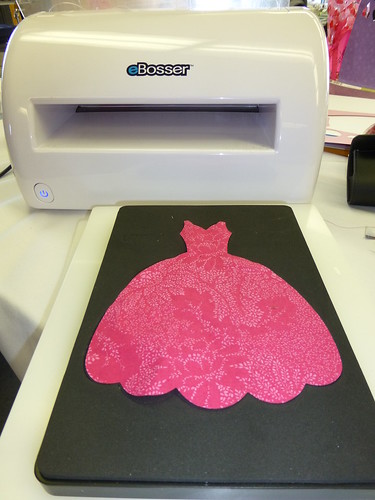
{above} It was certainly fun and fast creating applique' shapes using the eBosser and the AccuQuilt die to cut 8 layers of scrap fabric to create an applique' quilt.
{above} And, it was fun using a Sizzix die to cut scraps to applique' for a quilt for a young girl..
Embossing was a big plus with the eBosser offering up so many more crafting opportunities. It also comes with one Embossing folder and is compatible with using embossing templates from most manufacturers too!
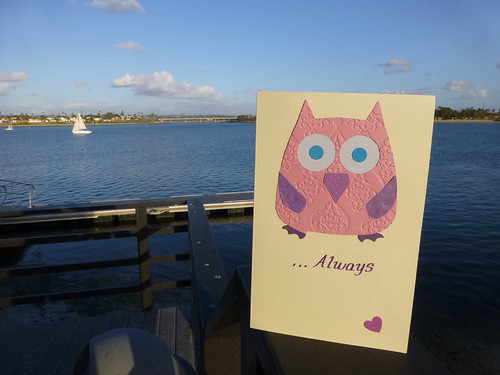
{above} It was very easy and fast to make a greeting card with an embossed owl using a Sizzix die and the embossing template that came with the eBosser. I love the embossed texture. Now, I'm wanting to use the eBosser embossing on leather for a variety of projects. Think of purses with embossed leather, or how an embossed leather luggage tag would make a nice gift!.
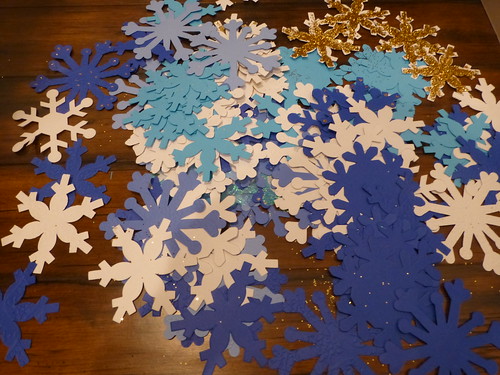
SewCalGal used the eBosser to make snowflake for the Sandy Hook School's PTA request. The eBosser made it very easy to cut and emboss snowflakes. And a package was shipped to Sandy Hook on behalf of Janet McElroy (Jan's Musings Again) as well as another package from SewCalGal. The eBosser made it so easy and fast to make the paper and mixed media snowflakes. {just wish I could find photos from my original batch}.
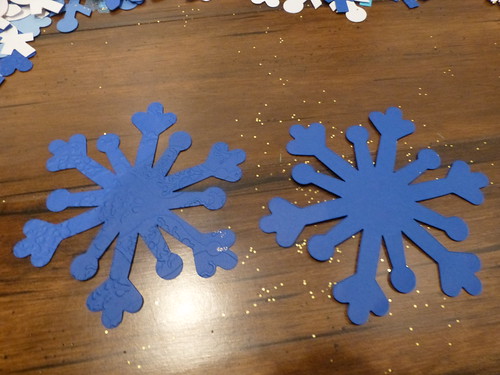
{above} check out the detail in these two snowflakes to see the difference that the embossing makes. Wish my camera could do a better job, but I think you'll see the beautiful texture the embossing template created.
There are a variety of videos on the eBosser, including many made by Craftwell, but I found this video to be one that does the best job (that I could find) for sharing insights on the eBosser.
A fewspecs on the eBosser that I think you might be interested in:
15 lbs (approx)
6.9H x 12.4W x 8.9D
100 - 240 v
Multiple Platforms included: 1 - Embossing/Cutting Platform, 3 - Base platforms, and 1 - shim
Here is a quick comparison of the eBosser to other comparable die cutting systems:
SewCalGal hopes if you are looking for a die cutting machine you'll check out the new eBosser. Great product at a great price. While it may appear more expensive, don't forget you get a motor, platforms, mats and the ability to cut more dies than a GO! Baby or Sizzix Big Shot can. You can also find the eBosser at their online store, Amazon, Jo-Ann's and a variety of crafting stores.
For a limited time, eBosser has a special where you can get two embossing mats vs one, found in the typical eBosser package. That is a $34 value, so if embossing interests you, you may want to check out this special with eBosser.
And, don't forget to check back soon, to see what I create with all the cuts I've made with the eBosser! I have some fun projects and tutorials planned for the new eBosser and hope to share with you soon!
SewCalGal also plans on sharing more insights on the eBosser in the near future, with more examples on how this product can help quilting, sewing and embroidery enthusiasts create.
I'm excited to share insights you today about Beam N Read's Personal Lights and their Annual Pre-Holiday Gift Giveaway.
I was introduced to Beam N Read by Kelly Jackson, the owner of I Have a Notion . I've come to learn when Kelly recommends a product, I know I'm going to like it. Before I share more about these cool lights, for those that know Kelly, you may not know that she took a bad tumble at Quilt Market last week. She broke a bone in her hand and will be going thru surgery today (Friday 11/2). You probably know she has a great sense of humor, so I encouraged her to take a Beam N Read light to her surgeon (to make sure they can see), as well as some high quality "fine" quilting pins (to make sure they do a quality job pinning). You may want to visit her blog, send her an email, or a card via snail mail.
Update: Kelly's surgery went well. It probably helped that her surgeon wore a Beam-n-Read light! You may want to check out her post-surgery post.
Ok, back to sharing insights on how I've come to join Kelly in wanting to give an honest recommendation for the Beam N Read Personal Lights.....
I've found that they are very handy to take with you when traveling and wanting to do some handwork in a car, airplane, boat or train. In addition to helping me see while doing handwork they are also very helpful when reading a book. They have a strap that makes it easy to wear around your neck, but you can also stand these up on top of your sewing machine, book case and other places, to add light when needed.
The new Beam N Read Personal lights have the ability to turn on all six LED lights or just three, which is really a great feature. Helps to better adjust the strength of the light to your situation. It also comes with large clip on color filters and magnifier, which can be very helpful.
One thing that I've found challenging when wearing Beam N Read Personal lights is that it is difficult to take a picture of yourself! So, I recruited a few friends to help show you how they work.
{above} My friend El shows how she likes to use the light in 3 LED mode when she is quilting.
{above} Oreo likes to have all six LED lights on when he is reading. And he really loves the new "Simply Fat Quarters" book by the Sew Emma Team too!
{above} Beaky likes how you can easily change the angles of the personal light, as well as the length of the neckstrap, to help adjust to your body. Beaky will also share with her long nose that without the Beam N Read, regular lights just cast too much shadow onto her projects, for her to be able to see at night. Thus, when she uses the Beam N Read, she doesn't get any shadows on her project and has better visibility with her projects late at night.
{above} Woody also enjoys the angles as he tends to like to lay back when reading and the Beam N Read can easily be pointed upward to his book, to accommodate his preference for reading while on his back.
All my friends really like the Beam N Read as much as SewCalGal does too! We also think the Beam N Read Personal Light would make a great Christmas gift too! So, we are all delighted to participate in Beam N Read's Annual Pre-Holiday Giveaway.
Did I mention a giveaway? Thanks to Beam N Read, one lucky follower will receive their own Beam N Read Personal Light. Public Followers can simply leave a comment on this post to let me know you are interested in winning your own personal light. I'll randomly select a winner and announce next Friday. And, Beam N Read will l ship the prize directly to the respective winner.
I'm also happy to announce winners of recent giveaways.
Fun Friday giveaway from last week, for the book "Big Little Book of Fabric Die Cutting Tips", by Ebony Love, the winner is: Josie McRazie (Insanity Defense)
I Hope you'll mark your calendars to visit all of the delightful blogs participating in Beam N Read's Annual Pre-Holiday Giveaway. You'll find a variety of ideas on how they use their Personal Lights, as well as have more chances to win your own.
For those that do free-motion quilting on a home sewing machine, our hands can get sore while trying to move our project around the needle. Today I want to share insights with you on the "Grip & Stitch Quilting Disks".
The Grip & Stitch Disks come in a pair of disks where the larger disk goes in your left hand, and the smaller disk in your right hand.
You simply place them onto your quilt and "rest" your hands on top of them, with the black side facing your quilt. Lightly pressing these disks you move your project under the presser foot to stitch out your free-motion quilting design.
These disks do a great job gripping your quilt, yet allowing your hands to relax. And, during hot weather, those concerned about wearing gloves will most likely enjoy the benefits of using these disks.
I've used a variety of tools that are designed to help you do free-motion quilting. SewCalGal can honestly say the Grip & Stitch disks are easy to use and allow your hands to relax, as well as stay cool on a hot summer day! You can find this product online at Clever Craft Tools, the Fat Quarter Shop and there is a good chance you can find them at your local quilt shop too. If not, just let your local quilt shop know you'd like to see them in stock and they can order wholesale from Clever Craft Tools or from Brewer Sewing.
The retail price for Grip & Stitch is $29.95
You may also be interested in knowing that Clever Craft Tools donates a portion of proceeds, from the sale of Grip & Stitch, to a WA charitable non-profit organization that makes quilts for American Heroes and Camp Korey.
SewCalGal wants to disclose that she was contacted to evaluate the Grip & Stitch Quilting Disks and they also offered to donate a set of these disks as a giveaway. At the same time, SewCalGal reserved the right to voice her own opinion, as shared in this review. This product was used for over a month, extensively, while doing free-motion quilting on a couple of projects, on a domestic sewing machine. The experience was quite positive!
Did I mention a giveaway? Thanks to Clever Craft Tools for sponsoring the giveaway this week, for followers of SewCalGal. One lucky winner will win their own pair of Grip & Stitch Quilting Disks. To enter to win, simply be a Public Follower of SewCalGal and leave a comment to let me know you are interested in winning a package of Grip & Stitch Quilting Disks. One lucky winner will be randomly selected and announced next Friday.
I'm also happy to announce the winner of the Fun Friday Giveaway, from last week, sponsored by Hoffman Fabrics, for a yummy Sushi Fabric Bundle. Congratulations to Wendy (Ivory Spring).
Are you a Quilter that loves Modern Quilting tools? Many of these tools have helped quilters design quilts efficiently and accurately, some help make the process of cutting and creating easier, and some just expand our doors of creativity. You can always visit a blog of a quilter that loves their Modern Tools to learn more about how they use their Modern Tools for quilting, sewing, embroidery, etc. These bloggers have a badge on their blog that identifies them as a Quilter that loves their Modern Tools, and they are also on a list on a page of this blog labeled “Quilters with Modern Tools”. Today, I want to share insight with you on a new system that Fiskars has introduce that I believe is going to be very popular with quilters, sewing & embroidery enthusiasts, mixed-media artists, and crafters alike. While I’ve not yet had an opportunity play with this new product, from what I have learned, it really looks like a great newtool and available at a very competitive price. Fiskars has just introduced their new “Fuse Creativity System ", which goes above and beyond the capability of many die cutting systems. This is a new product that will actually start appearing on the shelves at JoAnns the end of July/early August. It was first introduced via HSN on June 18th , where it was well received by quilters and crafters and sold out quickly during the world-wide launch.
The system is
designed as a Modern “Crafting” tool, not a tool specifically for
quilters. But, SewCalGal does view that
it has many features that will benefit quilting, sewing and embroidery
enthusiasts. And, definitely enhance
creativity for those that enjoy scrapbooking, cardmaking, mixed media arts, and
more.
Fiskars promotes “The Fuse
Creativity System®” as being much more
than another die-cutting machine. It’s the only system on the market that can
die-cut a shape, press a textured pattern and ink the pattern all in one pass
through the machine. The simplified plating and manual crank system make it
easy to create embellishments for accenting homemade cards, scrapbook pages or
just about any other paper craft project.
Fiskars
makes two different types of dies – steel rule and photo etched. Photo etched dies cut
cardstock and paper-based mediums and achieve more intricate designs. Steel rule dies cut
thicker materials including chipboard, balsa wood, foam, fabric and light
metal. The steel rule dies would be best for sewing and quilting enthusiast.
The basic shapes (square, circle oval, scalloped oval, scalloped circle,
scalloped square) would expedite the process of cutting out basic shapes for
projects. The bird and postage stamp dies
would make very fun appliqué embellishments as well.
Currently,
you can choose from Medium Design Sets that cut classic shapes in thick
materials, Medium Design Sets that cut intricate shapes in light
crafting materials, Border Design Sets and Large Design Sets. Medium Design Sets that cut thicker
materials accommodate additional letterpress plates available in their
Expansion Packs, and their Adapter Kit lets you use your existing dies from other
systems with this machine. Try different combinations of dies, letterpress
plates, inks and crafting materials for a virtually limitless range of
designer-quality results.
SewCalGal definitely
wants to create with this system. Can you image the fun of using this system
with fabric inks to stamp on fabric? Wouldn’t
it be fun to use some of the Fiskars dies to stamp with fabric ink to embellish
your fabric?
There are a few
blogging quilters that have reported that both AccuQuilt and Sizzix dies work
in the new Fiskars Creativity System, but I have not had the opportunity to
validate this capability.
Product Details
obtained from Fiskars:
The closed
machine measures 12” tall, 15” wide and 6” deep. Open the machine measures 24”
long and 8” tall. The cut width accommodates 12” materials. The machine weighs
23 lbs. It is a sturdy machine and won’t move around during use.
Fuse
Creativity System®, 3 years; Fiskars Design Sets, lifetime, which is a much
better warranty than I’ve seen with any other die cutting system.
Fuse
Creativity System Starter Set (includes Fuse Creativity Machine, cutting plate
with rubber mat, spacer plate, black ink pad, and one Design Set that includes
a cutting die and two letterpress plates) $299.99
·
Steel
rule design sets – Medium (4” x 5”) $19.99
·
Photo
etched design sets – Medium (4” x 5”) $29.99
·
Letterpress
plate expansion pack – Medium $19.99
·
Adapter
kit - $89.99
·
Cutting
plate with mat – Medium $14.99
·
Rubber
mat refill pack – Medium $12.99
Here is a really cute
felt bird project made by designer Lisa Storms, using the Fiskars CreativitySystem. This cute bird would certainly be cute in an
applique’ quilt, wallhanging, table topper or embellished clothing item. I also look forward to when a machine
embroidery digitizer digitizes this shape for applique’ machine
embroidery. So many possibilities.
The
Fuse Creativity System is new and is introduced with a fun selection of dies,
but certainly more dies will be introduced in the future.
Again,
I don’t yet have hands on experience with the Fuse Creativity System so I can’t
answer every possible question about this new product. But, as I get a chance to play with it, I’ll
definitely share more insights with you.







.JPG)
.JPG)
.JPG)
.JPG)


